
An email in the colors of your academy asks you to “confirm your credentials within 24 hours.” The sending address closely resembles that of the Versailles rectorate. This type of message regularly circulates on academic webmail, and the classic indicators for spotting it (spelling mistakes, rough layout) have become less reliable since artificial intelligence allows for the creation of nearly flawless fraudulent emails.
Securing your Versailles email address is not just about choosing a good password. Several settings, often overlooked, significantly reduce the risk of compromise. Here are the most crucial ones.
Authentication of the academic domain: SPF, DKIM, and DMARC
Before even discussing human vigilance, the protection of an email system starts on the server side. Three protocols work together to prevent a third party from sending emails while spoofing your academic domain.
SPF checks that the sending server is authorized to send a message for the concerned domain. DKIM adds a cryptographic signature to the email, ensuring that its content has not been altered in transit. Finally, DMARC tells the receiving server how to handle a message that fails the two previous checks (reject it, place it in spam, or simply report it).
Since 2024, Google and Yahoo are increasingly rejecting emails that are not authenticated by these three mechanisms. If your institution has not yet configured DMARC in strict mode, some legitimate messages may end up in your correspondents’ spam folders, while spoofed messages may still get through. Check with your IT department to ensure that these DNS records are properly set up and in “reject” or “quarantine” mode.
For more in-depth configuration specific to academic webmail, the mailversailles settings on Geektroniques detail each step on the rectorate’s interface.

Inbox rules and redirections: unknown vulnerabilities on Versailles webmail
Have you ever noticed transfer rules in your email that you did not create? After a compromise, the attacker often sets up a silent redirection to an external address. Every email you receive is then copied without your knowledge.
This mechanism is more dangerous than a simple password theft, as it persists even after a change of credentials. On the Versailles academic webmail, the setting is usually hidden in filtering settings or automatic rules.
Verification to perform now
- Open the settings of your academic email and display the list of all active rules (filtering, forwarding, auto-reply).
- Delete any redirection rule to an address you do not recognize, even if it resembles an internal address.
- Disable the automatic creation of rules by third-party applications if your service allows it.
This check takes two minutes and should be repeated at least once a quarter.
Logging into academic webmail: password and two-factor authentication
A unique and long password remains the foundation of the security of your Versailles email address. “Unique” means it is not used for any other service (social network, e-commerce site, other email). “Long” means at least twelve characters combining letters, numbers, and special characters.
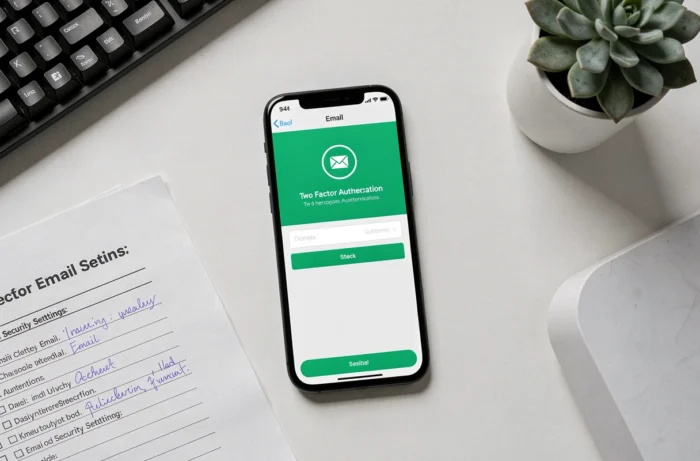
Two-factor authentication (often called MFA or 2FA) adds a layer of protection during login. Even if an attacker obtains your password through phishing, they will also need the temporary code sent to your phone or generated by a dedicated app. Check with your academy’s IT department to see if this option is available on your professional account.
Persistence through OAuth consent
Recent attacks no longer target only the password. Some phishing emails redirect you to an authorization page that requests access to your inbox via OAuth consent (third-party application authorization). You click “Allow,” and the malicious application retains permanent access, independent of your password.
To protect yourself, regularly check the list of authorized applications in your account’s security settings. Revoke any access that you have not explicitly requested.
Detecting a phishing email when spelling is no longer enough
Messages generated by artificial intelligence are grammatically correct and faithfully follow the academy’s graphic charter. Spelling mistakes are no longer a reliable indicator for identifying a fraudulent email.
Three criteria remain difficult to falsify:
- The context of the sender: do you usually receive this type of request from this person, at this time, in this tone?
- The unusual urgency: a message that demands immediate action (“your account will be deleted in 2 hours”) seeks to bypass your reasoning.
- The request outside procedure: no administration will ask you for your login credentials via email. If a message invites you to do so, it is fraudulent.
When in doubt, verify through another channel (phone call, internal message) before clicking on anything. This verification outside of email has become a true security check, not just a precaution.
Reporting and reacting after a suspicious click
Clicking on a dubious link does not mean that all is lost, provided you react quickly. Immediately change your password, check the redirection rules (as described above), and revoke permissions for suspicious applications.
Report the incident to your academic IT contact. Each report feeds the protection filters of Versailles webmail and protects the entire educational community. You can also forward the message to your institution’s dedicated address or use the reporting button integrated into the email system.
The security of an academic email address relies on a combination of server settings, account hygiene, and human reflexes. No automatic filter will replace the manual verification of an unexpected message, especially when AI makes phishing attempts almost indistinguishable from legitimate emails.